
自述
Syncthing 是一款数据同步工具,可以同步多台计算机之间的数据。它不仅可以工作在内网,也可以跑在外网。它是跨平台的(支持Windows、Macos、Linux,支持X86也支持ARM),开源的。用来做数据共享、数据备份是一款比较友好的工具。
安装
Syncthing 软件安装还是比较简单的,官方给的就是绿色可执行包。下载下来直接运行可执行文件(Windows是syncthing.exe,Linux是 syncthing)即可。
Syncthing 默认的web端口是8384,数据传输使用的是22000。
如果你配置了防火墙策略,记得添加这几个端口,特别是22000的需要TCP和UDP。
使用
本端和对端都需要运行Syncthing程序,支持不同系统之间同步。
如图,把需要共享出去的文件夹添加进来,这样就可以把文件夹共享给对方了。这里针对不同的文件夹是可以共享给不同的人的。
文件夹也支持版本控制以及忽略模式,忽略模式主要就是有些文件、临时文件等可以不共享、同步的就进行忽略,一行写一条匹配规则。
如果是局域网的话,Synchting是可以发现远端设备的。如果没发现就只能手动输入对端的设备ID进行添加。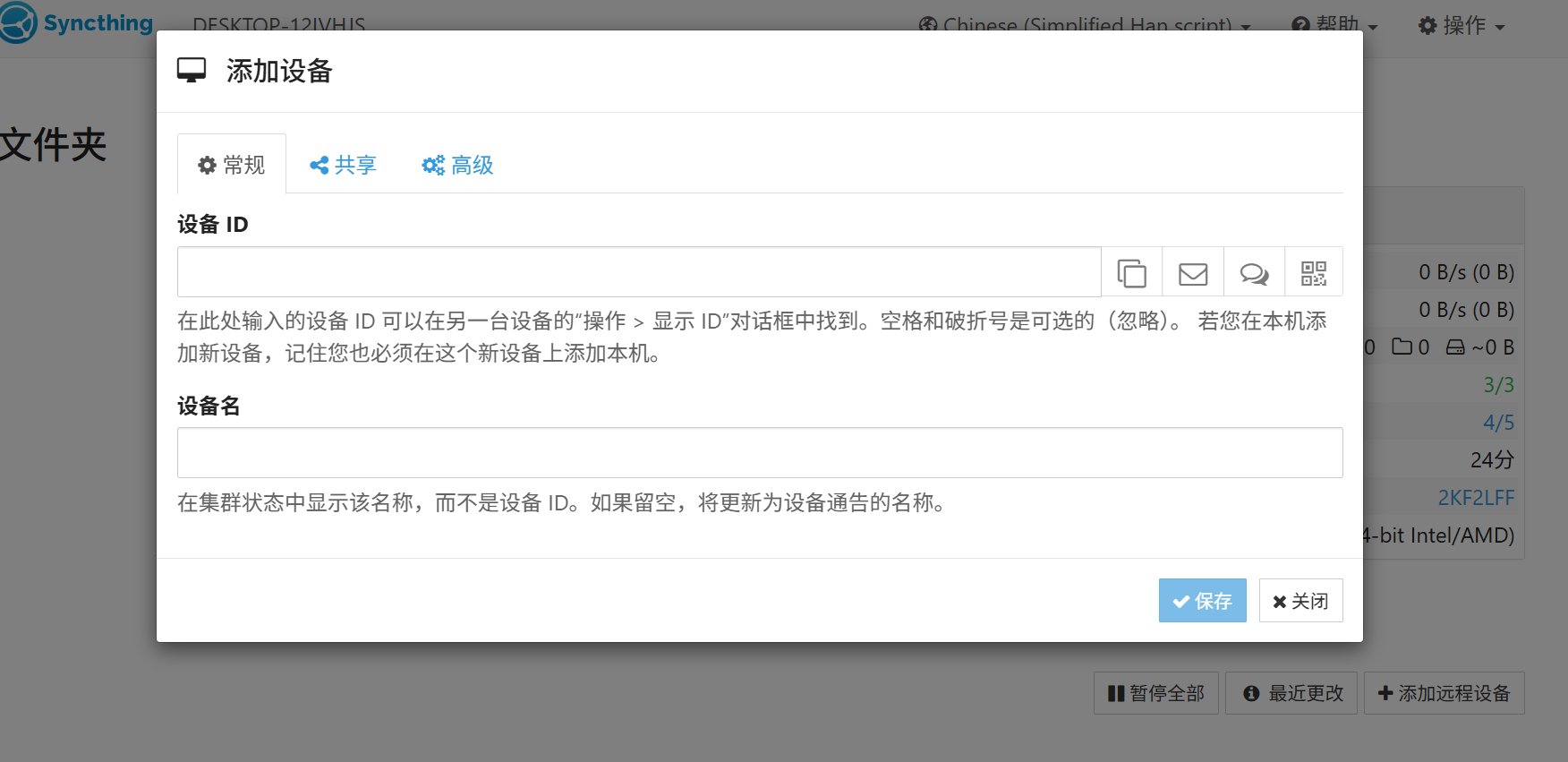
如果觉得需要对Syncthing的web访问进行必要的安全认证,那么可以开启密码访问。
注册服务
由于程序是绿色可执行的,所以Syncthing本身并没有注册成服务的功能,也就是说当你设备关机重启后需要手动运行Syncthing程序。当然你也可以使用计划任务来运行Syncthing服务。但由于众所周知的原因,在Windows系统中,计划任务是不太好用的,特别是在服务器上,如果不登录桌面,计划任务经常会抽风。
综上述,博主想了个小招,可以注册成Windows服务,有需要的朋友可以参考。
- 服务注册基于
nssm - Install.bat:服务安装脚本
- unInstall.bat:服务卸载脚本
- 文件夹目录

管理员身份运行Install.bat即可注册Syncthing服务,同理运行unInstall.bat即可卸载服务。
博主的文件包链接(提取码: himu):syncthing-windows-amd64-v2.0.16-nssm
Bat脚本代码
Install.bat
@echo off
title Syncthing 服务注册脚本 By anYun @181****1639
setlocal enabledelayedexpansion
REM 权限检查
net session >nul 2>&1
if %errorlevel% neq 0 (
  powershell -Command "Start-Process cmd -ArgumentList '/c %~s0' -Verb RunAs"
  exit /b
)
echo 正在初始化
cd /d "%~dp0"
REM Syncthing服务配置
REM 服务名称
set sname=Syncthing

REM WEB 端口
set sport=8260

REM 目录处理
for /f "delims=" %%i in ('powershell -Command "(Get-Item -LiteralPath '%~dp0').FullName"') do (
  set "spath=%%i"
)

if exist "%ProgramFiles(x86)%" (
  set nssm="%spath%nssm\win64\nssm.exe"
) else (
  set nssm="%spath%nssm\win32\nssm.exe"
)

REM 检查Syncthing 服务是否存在
%nssm% status %sname% >nul 2>&1
if %errorlevel% equ 0 (
  echo %sname% 服务已注册,是否删除并重新注册
  echo 输入 y 删除服务并重新注册;其它键退出
  set /p ss="请输入你的选择:"
  if "!ss!" == "y" (
      %nssm% stop %sname%
      %nssm% remove %sname% confirm
      timeout /t 5 >nul
  )
)
REM 注册服务
REM 检查syncthing 进程是否存在
tasklist | findstr "syncthing" >nul 2>&1
if %errorlevel% equ 0 (
  taskkill /f /im syncthing.exe >nul 2>&1
)
REM 端口检查
netstat -aon | findstr ":%sport%" | findstr "LISTENING" >nul 2>&1
if %errorlevel% equ 0 (
  :inputport
  cls
  set /p sp="端口被占用或非法,请重新输入端口号[ 2500 - 65500 ]:"
  if "!sp!" == "" ( goto inputport)
  if !sp! lss 2500 ( goto inputport)
  if !sp! gtr 65500 ( goto inputport)
  set sport=!sp!
)
echo 正在注册 %sname% 服务
%nssm% install %sname% "%spath%syncthing.exe" serve --config="%spath%config" --data="%spath%data" --gui-address=http://0.0.0.0:%sport% --no-console --no-browser
%nssm% set %sname% AppDirectory %spath% >nul 2>&1
%nssm% set %sname% Start SERVICE_AUTO_START >nul 2>&1
%nssm% set %sname% Description "Syncthing数据同步服务" >nul 2>&1
%nssm% start %sname% >nul 2>&1
if %errorlevel% neq 0 (
  echo %sname% 服务启动失败,请检查
  goto end
)

REM 防火墙策略
echo 正在处理防火墙策略规则
netsh advfirewall firewall show rule name="syncthingTCP" >nul 2>&1
if %errorlevel% equ 0 (
  netsh advfirewall firewall delete rule name="syncthingTCP" >nul 2>&1
)
netsh advfirewall firewall show rule name="syncthingUDP" >nul 2>&1
if %errorlevel% equ 0 (
  netsh advfirewall firewall delete rule name="syncthingUDP" >nul 2>&1
)
netsh advfirewall firewall add rule name="syncthingTCP" dir=in action=allow protocol=TCP localport=22000,%sport% >nul 2>&1
netsh advfirewall firewall add rule name="syncthingUDP" dir=in action=allow protocol=UDP localport=22000 >nul 2>&1
:end
echo 操作完成,程序将在10秒后退出
timeout /t 10
unInstall.bat
@echo off
title Syncthing 服务卸载脚本 By anYun @18187511639
setlocal enabledelayedexpansion
REM 权限检查
net session >nul 2>&1
if %errorlevel% neq 0 (
  powershell -Command "Start-Process cmd -ArgumentList '/c %~s0' -Verb RunAs"
  exit /b
)
cd /d "%~dp0"
REM Syncthing服务配置
REM 服务名称
set sname=Syncthing

for /f "delims=" %%i in ('powershell -Command "(Get-Item -LiteralPath '%~dp0').FullName"') do (
  set "spath=%%i"
)

if exist "%ProgramFiles(x86)%" (
  set nssm="%spath%nssm\win64\nssm.exe"
) else (
  set nssm="%spath%nssm\win32\nssm.exe"
)

REM 检查Syncthing 服务是否存在
%nssm% status %sname% >nul 2>&1
if %errorlevel% equ 0 (
  echo 确定要卸载 %sname% 服务吗?
  echo 确认请输入 y ,其它键退出
  set /p ss="请输入你的选择:"
  if "!ss!" == "y" (
      %nssm% stop %sname%
      %nssm% remove %sname% confirm
      timeout /t 5 >nul
  )
) else (
  echo %sname% 服务未安装
)

echo 操作完成,程序将在5秒后退出
timeout /t 5




还不快抢沙发